Introduction
This document provides a structured guide for executing SQL scripts as part of a Change Request process within LoadMaster, ensuring consistency and compliance with IT protocols. Use this guide to safely manage and implement changes during maintenance activities.
Procedure
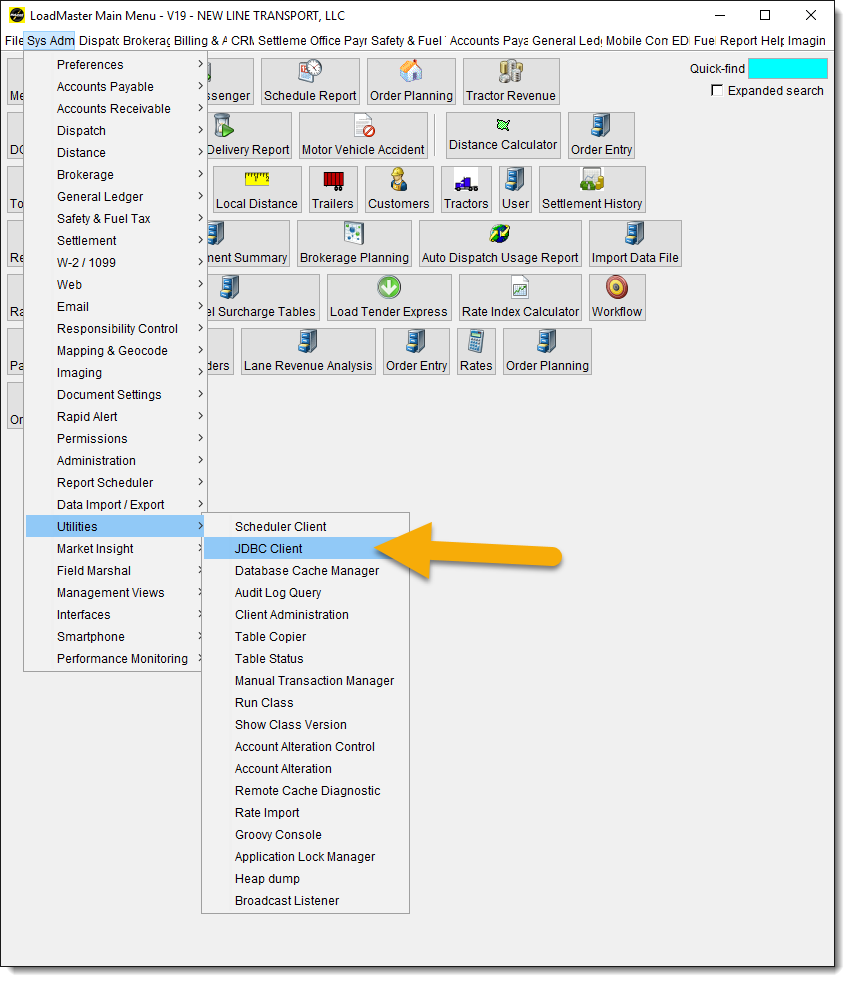
- Log into the LoadMaster SQL environment.
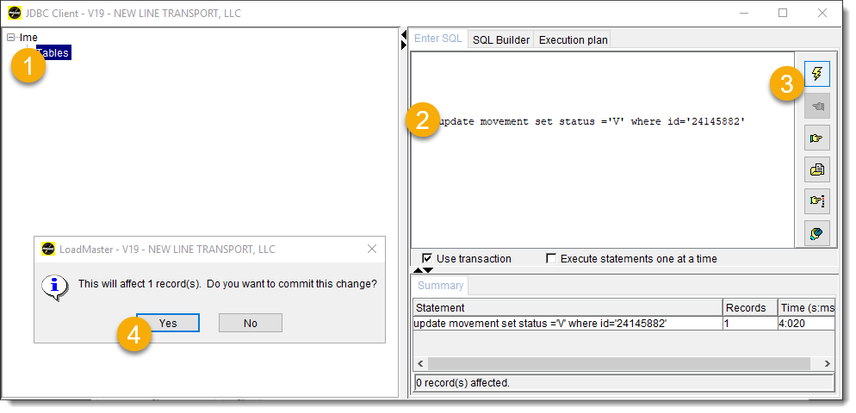
- Select the appropriate Tables view.
- Enter your SQL command in the designated query field.
- Click the Lightning Bolt icon to execute the script.
- Confirm the changes by clicking "YES".
Note: If the number of records to be modified is substantial, the script must be executed after business hours.